



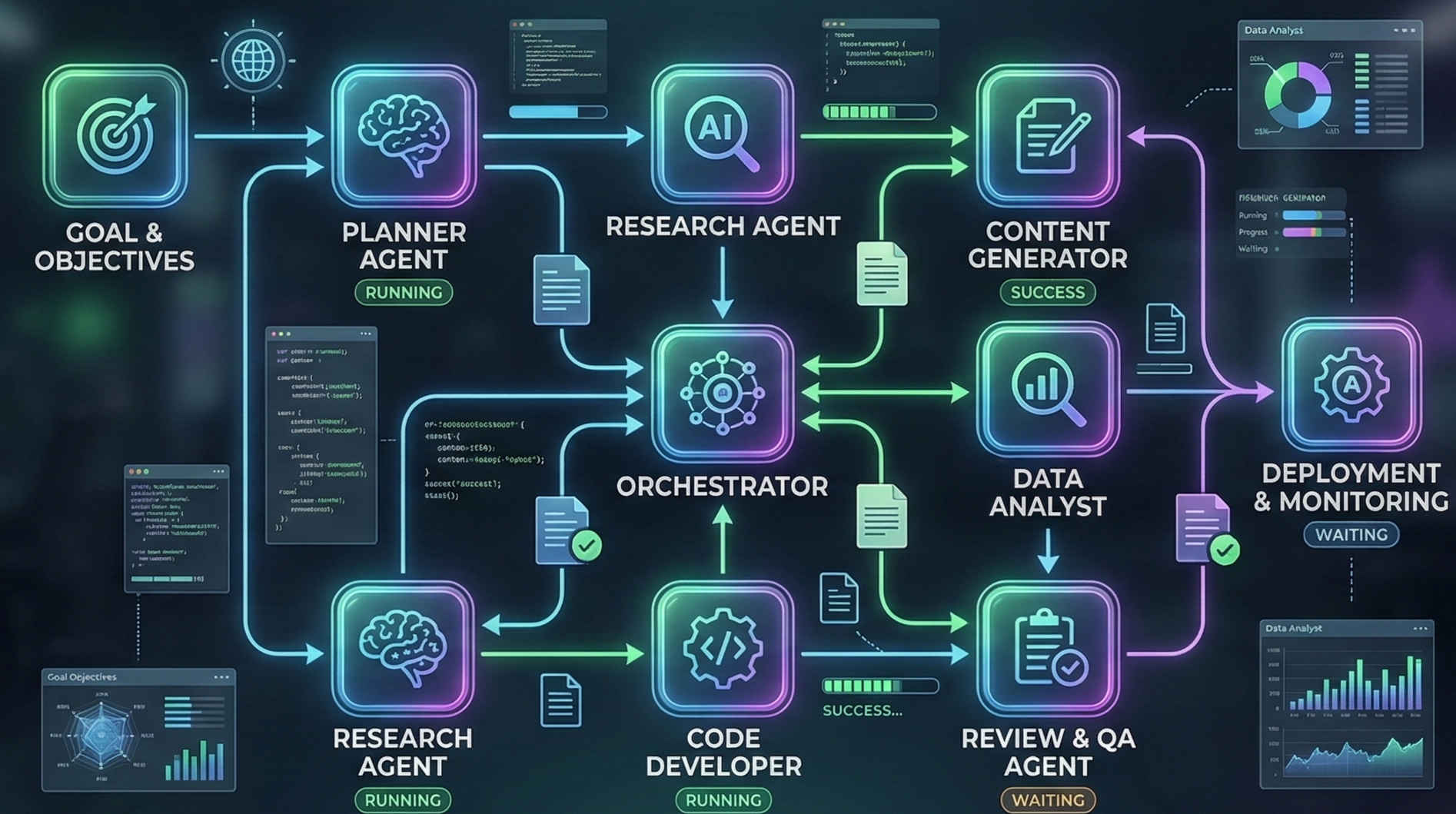
AI Workflow Automation: The Complete Guide for 2026
In 2026, workflow automation isn't just about connecting apps, it's about making your business processes smarter. Whether you're a startup founder automating customer support or an enterprise streamlining operations, AI-powered automation tools have become essential.
This guide covers (or tries to cover) everything we understand, and that we think you need to know about AI Workflow Automation, from choosing the right automation tools to implementing your first automated ai workflow on platforms such as n8n, Neuron Workflows or any other platform.
 AI Workflow Automation Dashboard
What is Workflow Automation?
To put it in simple terms, Workflow Automation is using software to automate repetitive tasks and business processes without manual intervention. Think of it as teaching your digital tools to work together automatically.
However, Workflow Automation has evolved significantly. While tools like Zapier and Make have made it easier to connect apps, AI automation takes it to the next level by adding intelligence to your workflows.
Traditional vs AI-Powered Automation
| Aspect | Traditional Automation | AI-Powered Automation |
|---|---|---|
| Decision Making | Rule-based | Learns and adapts |
| Handling Exceptions | Struggles | Handles gracefully |
| Unstructured Data | Requires formatting | Processes directly |
| Improvement | Static | Gets smarter over time |
Workflows vs. AI Agents: What's the Difference?
A workflow is a sequence of steps that must be executed to meet a goal, like connecting apps in Zapier or building scenarios in Make. These are deterministic: if X happens, do Y.
An AI agent (or agentic workflow) goes further. It's a system that independently accomplishes tasks on your behalf with a high degree of autonomy. Agents:
- Use LLMs to manage workflow execution and make decisions
- Recognize when a workflow is complete
- Proactively correct actions if needed
- Handle failures gracefully and transfer control back to users when appropriate
- Dynamically select tools based on the workflow's current state
Simple rule: If your automation needs to "think" and adapt to new situations, you need an agent or an "agentic workflow". If it's just connecting apps with predictable logic, a traditional workflow tool works just fine.
Top Workflow Automation Tools in 2026

1. n8n - Best Open-Source Automation
n8n is a powerful workflow automation tool that gives you full control over your automations. It's particularly popular among developers and teams that need custom solutions.
Key Features:
- Open-source and self-hostable
- Visual workflow builder
- 400+ integrations
- Custom code execution
- AI node integration
Best for: Teams that want flexibility and custom n8n automation workflows.
If you're looking for n8n alternatives, consider Neuron Workflows for easier AI integration or Zapier for simpler setups.
2. Zapier - Easiest to Start
Zapier is the most popular workflow automation platform, especially for non-technical users. It lets you connect over 5,000 apps without writing code.
Key Features:
- 5,000+ app integrations
- No-code builder
- AI-powered actions (Zapier AI)
- Conditional logic
- Multi-step zaps
Best for: Small businesses and non-technical users starting with automation tools.
3. Make (formerly Integromat) - Visual Power
Make automation offers one of the most powerful visual workflow builders. It's great for complex automations that need careful orchestration.
Key Features:
- Visual scenario builder
- Real-time monitoring
- Advanced routing
- AI module support
- Webhook handling
Best for: Teams needing complex Make automations with visual feedback.
Pro Tip: Many users combine multiple automation tools. For example, use Zapier for simple integrations and n8n for complex AI workflows.
AI Automation Tools: The Game Changer

What AI Brings to Automation
-
Intelligent Decision Making
- Route leads based on conversion probability
- Auto-prioritize support tickets
- Detect fraud in real-time
-
Natural Language Processing
- Auto-respond to emails
- Extract data from documents
- Analyze customer sentiment
-
Predictive Analytics
- Forecast sales
- Predict inventory needs
- Anticipate customer churn
-
Content Generation
- Auto-generate responses
- Create summaries
- Draft communications
Building Your First AI Workflow
Let's walk through building a practical AI Workflow that you can implement today.
Example: AI-Powered Lead Response System
Goal: Automatically respond to new leads with personalized messages and route high-potential leads to sales.
 Lead Response Workflow Diagram using Neuron Workflows
Steps to Build:
- Trigger: New form submission or email
- AI Analysis: Score lead using AI (analyze company size, industry, message content)
- Conditional Routing:
- High score → Immediate Slack notification + personalized email
- Medium score → Add to CRM + weekly follow-up sequence
- Low score → Add to nurture campaign
- AI Response: Generate personalized follow-up email using AI
Tools Needed:
- n8n or Make for workflow orchestration
- OpenAI or Anthropic for AI processing
- CRM integration (HubSpot, Salesforce)
- Email service (Gmail, Outlook)
Video Tutorial
Building Your First AI Workflow in n8n - Step by Step TutorialExample: Automated Invoice Processing
Goal: Extract data from invoices and auto-match with purchase orders.
 Invoice Processing Flow
Steps:
- Trigger: New invoice uploaded to folder
- AI Extraction: Use OCR + AI to extract vendor, amount, line items
- Validation: Match against purchase order in ERP
- Routing:
- Match found → Auto-approve
- Discrepancy → Route to AP team for review
- New vendor → Route to onboarding workflow
Results: Faster processing, higher accuracy
n8n Workflow: Deep Dive
 n8n Workflow Builder
n8n is particularly powerful for ai workflow automation. Here's how to leverage it:
Setting Up n8n
-
Self-hosted (recommended for control):
docker run -d --name n8n -p 5678:5678 n8nio/n8n -
Cloud (easier to start):
- Sign up at n8n.io
- Start building immediately
Essential n8n Nodes for AI
- HTTP Request: Connect to any API
- OpenAI: Text generation, embeddings
- Anthropic: Claude integration
- LangChain: Advanced AI chains
- Webhook: Trigger workflows from anywhere
Sample n8n Workflow: AI Email Responder
{
  "nodes": [
    {
      "name": "Webhook",
      "type": "webhook",
      "parameters": {
        "httpMethod": "POST",
        "path": "ai-email-responder"
      }
    },
    {
      "name": "OpenAI",
      "type": "openai",
      "parameters": {
        "operation": "chat",
        "model": "gpt-4",
        "prompt": "Generate a professional response to: {{$json.message}}"
      }
    },
    {
      "name": "Send Email",
      "type": "gmail",
      "parameters": {
        "to": "{{$json.email}}",
        "subject": "Re: {{$json.subject}}",
        "body": "{{$json.response}}"
      }
    }
  ]
}
Video Tutorial
Make Automation: Visual Workflow Builder
 Make Automation Interface
Make automation excels at visual workflow design. Here's why teams choose Make:
Make vs n8n vs Zapier
| Feature | Make | n8n | Zapier |
|---|---|---|---|
| Visual Builder | Excellent | Good | Basic |
| AI Integration | Good | Excellent | Good |
| Pricing | Free tier + paid | Free self-hosted | Free tier + paid |
| Learning Curve | Medium | Higher | Low |
| Custom Code | Yes | Yes | Limited |
| Self-Hosting | No | Yes | No |
Building in Make
- Scenarios: Your workflows in Make
- Modules: Building blocks (apps, AI, tools)
- Routes: Conditional paths
- Bundles: Data processing
Sample Make Automation: Social Media Auto-Poster
Trigger: New blog post published Actions:
- Get post content
- Generate social posts (AI)
- Post to Twitter/X
- Post to LinkedIn
- Schedule Instagram post
- Send notification to team
Business Automation: Real-World Examples

1. Customer Support Automation
Traditional: Manual ticket routing, generic responses
Automated:
- AI classifies ticket urgency
- Routes to right team
- Generates personalized response
- Escalates complex issues with context
Tools: Zendesk + n8n + OpenAI
Results: 70% faster response time, 85% customer satisfaction
2. HR Onboarding Workflow
Process:
- New hire form triggers workflow
- AI generates personalized welcome email
- Create accounts in all systems
- Assign training modules based on role
- Schedule manager check-ins
- Track completion
Tools: BambooHR + Make + AI
3. E-commerce Order Processing
Process:
- Order received → Validate payment
- AI checks for fraud indicators
- Update inventory
- Generate shipping label
- Send customer confirmation
- Trigger follow-up sequence
Tools: Shopify + n8n + AI
Process Automation Best Practices
Start Small
Don't try to automate everything at once. Begin with:
- High-volume, repetitive tasks
- Processes with clear rules
- Areas with obvious bottlenecks
Measure Everything
Track these metrics:
- Time saved per week
- Error reduction rate
- Cost per transaction
- Employee satisfaction
Maintain Human Oversight and Guardrails
Automation and AI work best together with proper safeguards. Think of guardrails as a layered defense mechanism multiple specialized protections create more resilient agents.
When to Trigger Human Intervention
Two primary triggers warrant human oversight:
-
Exceeding Failure Thresholds
- Set limits on agent retries or actions
- If the agent fails to understand intent after multiple attempts, escalate
- Example: Customer service agent can't resolve after 3 attempts → transfer to human
-
High-Risk Actions
- Sensitive, irreversible, or high-stakes actions should trigger human oversight
- Examples: Canceling user orders, authorizing large refunds, making payments
- As confidence in the agent grows, you can reduce oversight for lower-risk actions
Essential Guardrails for AI Workflows
-
Relevance Classifier
- Ensures agent responses stay within intended scope
- Flags off-topic queries (e.g., "How tall is the Empire State Building?" in a customer service context)
-
Safety Classifier
- Detects unsafe inputs (jailbreaks, prompt injections)
- Prevents exploitation attempts to extract system instructions
-
PII Filter
- Prevents unnecessary exposure of personally identifiable information
- Vets model output for potential PII before sending to users
-
Moderation
- Flags harmful or inappropriate inputs (hate speech, harassment, violence)
- Maintains safe, respectful interactions
-
Tool Safeguards
- Assess risk of each tool (low, medium, high) based on:
- Read-only vs. write access
- Reversibility of actions
- Required account permissions
- Financial impact
- Trigger automated checks before executing high-risk functions
- Escalate to human for critical actions
- Assess risk of each tool (low, medium, high) based on:
Best Practices
- Include approval steps for critical decisions
- Allow manual overrides at any point
- Capture feedback to improve models
- Review AI decisions periodically
- Start with strict guardrails, then relax as confidence grows
Choose the Right Tool
| Need | Recommended Tool |
|---|---|
| Simple integrations | Zapier |
| AI-heavy workflows | n8n |
| Visual complexity | Make |
| Full control | n8n self-hosted |
| Enterprise features | Enterprise Zapier/Make |
AI in Automation: Advanced Techniques
Selecting the Right AI Model
Different models have different strengths related to task complexity, latency, and cost. Not every task requires the smartest model, a simple retrieval or intent classification may work fine with a smaller, faster model, while complex decision-making benefits from more capable models.
Strategy for Model Selection:
- Start with the best model - Build your prototype with the most capable model (e.g., GPT-5.2) for every task to establish a performance baseline
- Set up evaluations - Measure accuracy, response quality, and user satisfaction
- Optimize gradually - Try swapping in smaller models (e.g., GPT-4o mini) to see if they still achieve acceptable results
- Focus on accuracy first - Don't prematurely limit the agent's abilities; optimize for cost and latency only after meeting your accuracy targets
This approach ensures you don't sacrifice performance for cost savings, and helps you identify exactly where smaller models succeed or fail.
Prompt Engineering for Workflows
Get better AI results with better prompts. High-quality instructions are essential, they reduce ambiguity and improve agent decision-making.
Best Practices:
- Use existing documents - Convert your operating procedures, support scripts, or policy documents into LLM-friendly instructions
- Break down tasks - Provide smaller, clearer steps from dense resources to minimize ambiguity
- Define clear actions - Make sure every step corresponds to a specific action or output
- Capture edge cases - Anticipate common variations and include instructions on how to handle them
Template:
"Analyze this [INPUT_TYPE] and determine:
1. Category: [OPTIONS]
2. Priority: [SCALE]
3. Recommended action: [OPTIONS]
4. Sentiment: [POSITIVE/NEGATIVE/NEUTRAL]

Input: [YOUR_DATA]
"
Building AI Agents: When to Use Agentic Workflows
AI agents are systems that independently accomplish tasks on your behalf, managing workflow execution and making decisions dynamically. Unlike simple automations, agents can handle complexity, adapt to exceptions, and learn from patterns.
When Should You Build an Agent?
Agents excel where traditional rule-based automation struggles. Consider building an agent when your workflow involves:
-
Complex Decision-Making
- Nuanced judgment calls (e.g., refund approval based on customer history and context)
- Context-sensitive decisions that can't be reduced to simple if-then rules
- Situations requiring evaluation of multiple factors simultaneously
-
Difficult-to-Maintain Rules
- Systems with extensive, intricate rulesets that become unwieldy
- Processes where rule updates are costly or error-prone
- Scenarios like vendor security reviews that require complex evaluation
-
Heavy Reliance on Unstructured Data
- Interpreting natural language (emails, chat messages, documents)
- Extracting meaning from varied document formats
- Conversational interactions with users
- Processing insurance claims, support tickets, or customer inquiries
If your use case doesn't meet these criteria, a deterministic automation tool (like Zapier or Make) may be more appropriate.
Agent Design Foundations
Every effective agent consists of three core components:
-
Model: The LLM powering the agent's reasoning and decision-making
- Choose based on task complexity (GPT-4 for complex decisions, GPT-3.5 for simpler tasks)
- Start with the most capable model to establish a baseline, then optimize for cost/latency
-
Tools: External functions or APIs the agent uses to take action
- Data tools: Retrieve context (query databases, read documents, search web)
- Action tools: Interact with systems (send emails, update CRM, create tickets)
- Orchestration tools: Other agents can serve as tools (specialized agents for specific tasks)
-
Instructions: Clear guidelines defining how the agent behaves
- Use existing operating procedures and policy documents
- Break down tasks into smaller, clearer steps
- Define explicit actions for each step
- Capture edge cases and how to handle them
Building Your First Agent
- Define goals (not just steps) - Tell the agent what to achieve, not how
- Give tools (APIs, actions) - Equip it with capabilities to interact with systems
- Set boundaries (limits, approvals) - Establish guardrails and safety measures
- Monitor (track performance) - Measure success and iterate
Multimodal AI Processing
Process different data types:
- Text: NLP, sentiment analysis
- Images: OCR, object detection
- Audio: Transcription, voice analysis
- Video: Scene detection, summarization
The Future of AI Workflows
Trends for 2026-2027
- Autonomous Agents: AI that manages entire workflows
- Natural Language Interfaces: Describe workflows in plain English
- Cross-Platform AI: Unified AI across all tools
- Edge AI: Faster processing, privacy preserved
- Vertical AI: Industry-specific AI models
Preparing Your Business
- Start building AI workflows now
- Train team on AI tools
- Build flexible, adaptable processes
- Stay updated on new capabilities
Getting Started: Your Action Plan
Week 1: Assessment
- List all repetitive tasks
- Identify time sinks
- Map current processes
- Prioritize by impact
Week 2: Tool Selection
- Try Zapier (easiest)
- Test n8n (most powerful)
- Explore Make (visual)
- Choose based on needs
Week 3: First Workflow
- Build one simple automation
- Add one AI element
- Test thoroughly
- Document the process
Week 4: Measure & Scale
- Track time saved
- Identify improvements
- Build next workflow
- Start building momentum
Conclusion
Workflow automation combined with AI is transforming how businesses operate. Whether you use n8n, Zapier, Make, or combine multiple automation tools, the key is starting.
The best ai workflow is one that solves real problems. Don't chase complexity, chase results. Start with one automation, measure the impact, and build from there.
AI automation isn't about replacing humans, it's about freeing your team to do higher-value work. The future of business belongs to those who automate wisely.
Quick Reference: Key Terms
- Workflow: A sequence of tasks automated together
- AI Agent: A system that independently accomplishes tasks using LLMs to manage execution and make decisions
- Agentic Workflow: An intelligent workflow powered by AI agents that can adapt and learn
- Automation Tools: Software that connects apps and automates tasks
- n8n: Open-source workflow automation platform
- Zapier: Popular no-code automation tool
- Make: Visual automation builder (formerly Integromat)
- AI Automation: Adding AI intelligence to workflows
- Process Automation: Automating business processes end-to-end
- Business Automation: Using automation for business operations
- Guardrails: Safety measures and controls to ensure AI workflows operate safely and predictably
Further Reading
- AI Workflow Automation vs Traditional
- n8n vs Zapier: Which is Better?
- Make Automation Guide
- OpenAI's Practical Guide to Building Agents - Comprehensive guide on agent design, orchestration, and guardrails
- Documentation
Related reading
Keep exploring Neuron Workflows - more guides and resources below.